How to Fix QuickBooks Won’t Open on Windows 10? Easy Solutions
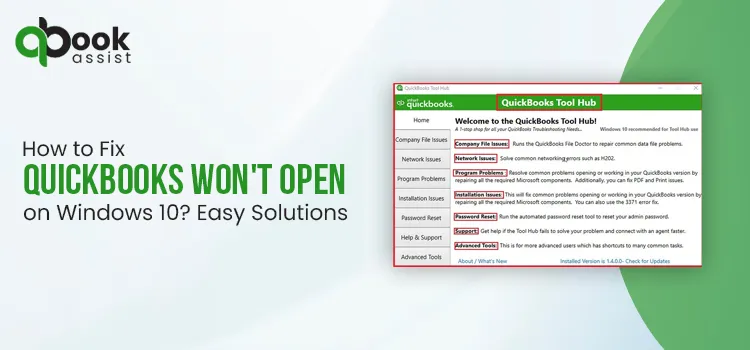
Does your QuickBooks not open on Windows 10 while performing an important business task? It may occur due to the damaged or missing QBWUSER.INI file and corruption in your hard drive. Other factors causing this error include a damaged Windows operating system, a damaged program or QuickBooks Desktop installation, or a large company name. However, it’s essential to get rid of this issue to continue with your ongoing business task smoothly. In this blog, we have explained all the causes and troubleshooting solutions on how to fix QuickBooks that won’t open on Windows 10.
The QuickBooks won’t open issue can be fixed by renaming the QBWUSER.INI file, using Quick Fix My Program, or the Install Diagnostic tool to repair the damaged installation.
Why won’t QuickBooks open on my computer?
The ” QuickBooks Desktop won’t open issue usually occurs due to a damaged or missing QBWUSER.INI file. This issue may also be caused by numerous causes, including;
- Damaged QuickBooks Desktop installation or program files.
- The company name contains characters that are not actually allowed.
- Corruption in your hard drive.
- Damaged Windows operating system.
- Windows Firewall is blocking QuickBooks Desktop from running properly.
How to fix QuickBooks won’t open on Windows easily?
The following are the troubleshooting methods to resolve the QuickBooks Desktop won’t open issue.
Method 1: Run Quick Fix My Program from the Tool Hub
Important Tip: Verify that you have set up the latest version of QuickBooks Tool Hub (1.6.0.8).
- Go to your desktop and launch the QuickBooks Tool Hub on your computer.
- After this, tap on the Program Problems tab.
- Choose the Quick Fix My Program tab.
- At last, launch the QuickBooks Desktop and then launch your company file.
Method 2: Check If the Issue is With Your File or the Prograsm
You may often experience the QuickBooks Desktop won’t open issue due to a damaged company file. So, to fix the issue, you must figure out whether the issue lies with QuickBooks or your data file itself. QuickBooks might try to launch your previous company.
First Step: Open your file with all windows closed
- Launch the QuickBooks Desktop application on your computer.
- When you are in the No Company Open window, pick the company file that is having issues.
- Press and hold down the Alt key and hit the Open tab. Make sure to leave the Alt key till the time the file opens. If you are prompted to log in, leave the Alt key, provide the password, and hold down the Alt key. Then, choose the OK option.
Second Step: Suppress the QuickBooks Application
- Press and hold down the Ctrl key and then double-tap on the QuickBooks Desktop icon.
- Important Tip: Don’t leave the Ctrl key unless you get the No Company Open window, QuickBooks freezes, or gives you an error.
- After that, choose a company file and pick the Open option.
If the error persists, then try another solution.
Method 3: Use the QuickBooks Install Diagnostic Tool From the Tool Hub
If you are still encountering the QuickBooks won’t open issue, then try to run the QuickBooks Install Diagnostic Tool. This utility will scan for potential damage with the QuickBooks installation and then run a repair to fix the issue. For that perform the steps listed below.
- Launch the QuickBooks Tool Hub installed on your device.
- From there, head to the Installation Issues tab.
- Hit the QuickBooks Install Diagnostic Tool. Give some time to run the tool and repair the damage with the QuickBooks installation.
- Relaunch your PC after running the tool.
- At last, open the QuickBooks Desktop and then your company file to see if the issue still exists.
Method 4: Reinstall the QuickBooks Desktop Application
Sometimes, reinstalling the QuickBooks Desktop may install a fresh version of the software and remove the technical glitches present in the software. As a result, it will help fix the QuickBooks won’t open on Windows issue.
- Go to the Control Panel, switch to Programs and Features or Uninstall a Program option.
- Choose the QuickBooks Desktop version that you want to remove.
- Thereon, tap on the Uninstall/Change, Remove, and then click on the Next option.
- Launch the File Explorer by clicking on the Start menu.
- Access the folder holding your QuickBooks company files. This is mainly your QuickBooks folder. You can get it by browsing through the following locations:
- C:\ProgramData\Intuit\QuickBooks (year)
- C:\Users\(current user)\AppData\Local\Intuit\QuickBooks (year)
- C:\Program Files\Intuit\QuickBooks (year)
- 64-bit version C:\Program Files (x86)\Intuit\QuickBooks (year)
- Now, right-click on the folder and hit the Rename option.
- Thereon, include .OLD at the end of the file name, and it will prevent QuickBooks from opening it when you reinstall.
- At last, reinstall QuickBooks Desktop again using the steps given on the screen.
Method 5: Rename the QBWUSER.INI file
Users often end up with the QuickBooks Desktop won’t open issue due to the damaged or missing QBWUSER.INI file. So, to fix the error, rename the QBWUSER.INI file. Here’s how to rename the file.
- Launch the QuickBooks folder that stores your QBWUSER.INI file.
- The file is mainly located in the following location: “Users[Your user name]AppDataLocalIntuitQuickBooks [year].”
- After this, right-click the QBWUSER.INI file and tap on the Rename option.
- Rename the file by adding .OLD at the end of the file name. You will see the file name written as “QBWUSER.INI.OLD”.
- Also, rename the EntitlementDataStore.ecml file.
- Restart the QuickBooks Desktop application, and if the program opens after changing the file name, try opening the sample company file.
- If you are able to access the sample company file but not your own, try copying the file to a different folder. Try to open it from a new location, and if the file opens up easily, it means the issue is due to a damaged folder or folder permissions.
- If you fail to log in to your file, it seems that your data file is damaged. Then, try restoring an earlier backup of the file.
- If you couldn’t open the sample company file or QuickBooks won’t start, it simply indicates the QuickBooks installation is damaged.
Method 6: Run QuickBooks As An Administrator
If the QuickBooks Desktop won’t open, then it may happen due to a lack of admin privileges. So, to fix the issue, make sure to open QuickBooks Desktop as an administrator.
- Exit from all active programs on your device.
- After this, relaunch your computer.
- Tap on the QuickBooks Desktop icon and expand the menu.
- At last, click the Run as administrator option.
Method 7: Shut down all apps on Task Manager
- Initially, hit the Ctrl, Shift, and Esc keys on the keyboard to access the Task Manager.
- After this, search for the QuickBooks program(QBW32.exe) in the Processes section.
- Now, right-click it and click the End Process button.
Conclusion
Through this blog’s help, we hope that now you have the answer for how to fix QuickBooks won’t open on Windows 10. You can address the issue by restarting your PC and changing the QBWUSER. INI file name, using the QuickBooks Install Diagnostic tool, or by reinstalling the software. If the issue still exists, then connect with our qbookassist professionals for quick assistance.
Frequently Asked Questions:
Question 1: How do I fix the QuickBooks won’t open issue?
Ans. To resolve the QuickBooks Desktop won’t open issue, relaunch your computer and then try using QuickBooks as an administrator. Also, you can fix the issue by using Quick Fix My Program or the QuickBooks Install Diagnostic Tool.
Question 2: What to do if QuickBooks won’t open after windows update?
Ans. If QuickBooks won’t open after a Windows update, then suppress your company files to repair the QuickBooks program or repair the QuickBooks installation using the Control Panel.
Question 3: Why my QuickBooks app won’t open?
Ans. QuickBooks app won’t open due to numerous reasons, including damaged company files, corrupted installation, pending updates, or interruption from the antivirus software.
Question 4: Why isn’t QuickBooks Online won’t open?
Ans. The QuickBooks Online app won’t open due to a damaged company file, pending updates, or due to an interruption from the antivirus software.

Recent Posts
What are the Benefits, Features and Price of QuickBooks for Payroll Online
Read MoreHow can I Resolve QuickBooks Black and White Screen Issue? Easy Solutions
Read MoreWhy is My QuickBooks Desktop Running Slow? Here’s How to Fix
Read MoreHow to Get in Touch with QuickBooks Live Bookkeepers? Easy Guide
Read MoreHow To Fix QuickBooks Multi-User Mode Problems: H202?
Read More