6 Proven Ways to Complete QuickBooks Online Account Recovery [2025]
You open your browser, go to QuickBooks Online, type your password — and nothing happens. Or worse, you get a message saying your account has been locked, your email is not recognized, or your credentials have changed without your knowledge. Your entire financial history — invoices, payroll records, tax data, bank transactions — is sitting behind a login screen you cannot get past. This is one of the most stressful situations a small business owner or accountant can face. And it happens more often than you think.
The good news is that QuickBooks Online account recovery is possible in most cases — if you follow the right steps in the right order. In this guide, we walk you through every recovery path available, what to do if standard methods fail, and when to call a certified QuickBooks specialist to get your access back fast.
If your account lockout has also resulted in file damage or data loss, our QuickBooks data recovery services team can help you retrieve everything safely. we have helped hundreds of business owners recover their QuickBooks Online accounts — including cases involving hacked accounts, forgotten credentials, and failed Intuit verification processes.
First — Figure Out Exactly Why You Are Locked Out
Before you do anything else, be honest with yourself about what actually happened. The recovery path you take depends entirely on this answer.
There are really only four situations people find themselves in:
You forgot your password but still have access to your email — this is the easiest case and you will be back in within ten minutes.
You forgot your password and no longer have access to the email on the account — maybe it was an old work email, a provider you left, or an address set up by a former employee. This takes longer but is still very fixable.
Someone got into your account without your permission and changed things — this is the most urgent situation and needs to be treated completely differently from the others.
You never had your own login because someone else set up the account for you and now they are gone — a former bookkeeper, an old accountant, or an IT person who left the company. This happens more than most people realize.
Knowing which bucket you are in saves you hours of going in circles. Now let us get you back in.
Step-by-Step: QuickBooks Online Account Recovery Methods
Work through these solutions in order.
Method 1 — The Simple Password Reset (Start Here Always)
If you still have access to the email address connected to your QuickBooks account, stop reading and do this right now.
Go to quickbooks.intuit.com. Click Sign In. Click “I forgot my password.” Type your email. Hit Continue.
Intuit sends you a reset link. It arrives within a few minutes. Click it, create a new password, and you are back in. The whole thing takes about eight minutes on a normal day.
Two things trip people up here. First — the reset link expires in thirty minutes. Not a day. Not an hour. Thirty minutes. If you get the email, click it immediately. Second — check your spam folder. Intuit emails get filtered more often than you would expect, especially if you are using a corporate email system or a strict spam filter.
Real talk from our team: About half the calls we get about account recovery are solved right here. The user had the right email, just did not think to check spam. Always check spam before moving forward.
If you tried this and the email never arrived — or the email address itself is the problem — keep reading.
Method 2 — Account Recovery Through Your Phone Number
Here is something a lot of people do not know. Intuit can send a recovery link to your phone instead of your email.
Here is something a lot of people do not know. Intuit can send a recovery link to your phone instead of your email.
On the sign-in screen, click “I forgot my password” and then look for “Try something else” or “Use your phone number instead.” Enter the phone number that was on the account when it was created. Intuit texts you a code. You enter the code, reset your password, and you are in.
This works beautifully when your original email is gone but your phone number has stayed the same. The one catch is that the number must be the exact one registered to the account. If you changed numbers since setting up QuickBooks, this route will not work.
If it does work — great. But before you do anything else, go into your Intuit Account Settings and update your email to one you actually use today. Otherwise you will be back here doing this again in six months.
Method 3 — The QuickBooks Online Account Recovery Form
This is the path most people need when both their email and phone access are gone.
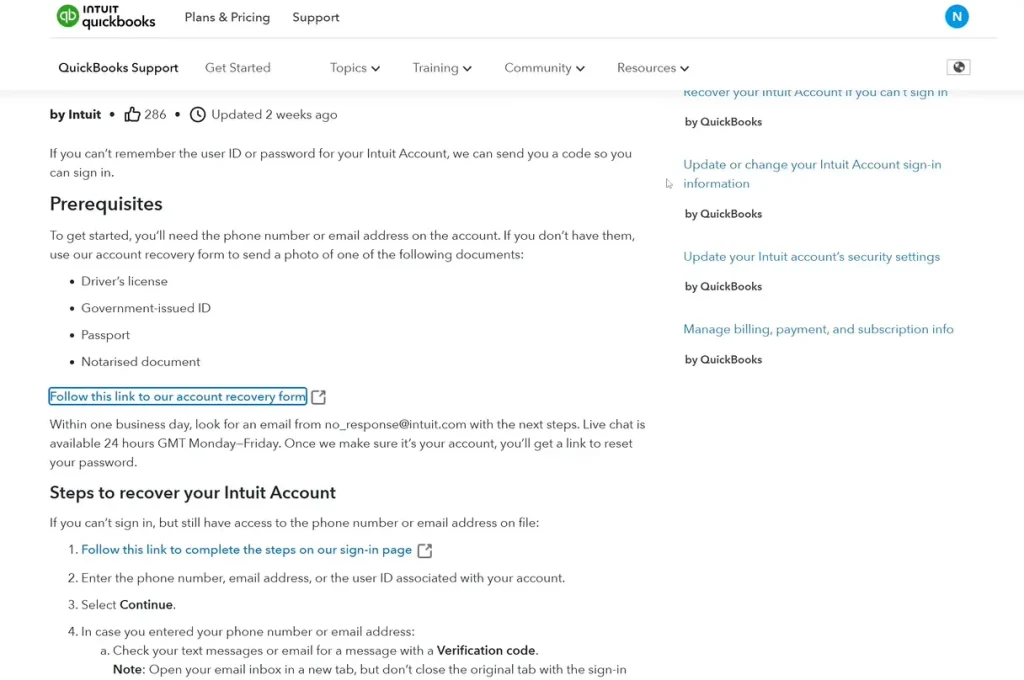
Intuit has a formal QuickBooks Online account recovery request process specifically for these situations. It is not the fastest process in the world — we will be honest about that — but it works when nothing else does.
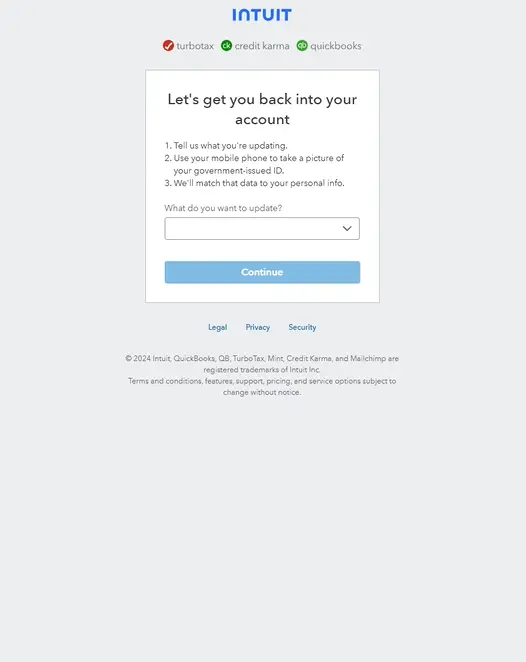
To get there, go to help.quickbooks.intuit.com and look for the account recovery or lost access option. You will need to contact Intuit directly and tell them clearly that you cannot access the email or phone on your account and need to verify your identity another way.
What they will ask you for:
The last four digits of the credit or debit card used for your QuickBooks subscription. Your subscription confirmation email or order number. The name and address the business account is registered under. Sometimes a government-issued ID depending on the case.
The more of this information you have ready before you contact them, the faster it goes. People who go in unprepared end up waiting days longer than they need to.
From our experience at QBookAssist: We always tell clients to dig up their original QuickBooks subscription confirmation email before calling Intuit. That single email — with the order number and billing details — cuts the QuickBooks Online account recovery request time in half in most cases. Check your email inbox and search for “Intuit” or “QuickBooks” going back to when you first subscribed.
Method 4 — What to Do If Your Account Was Hacked
This situation is different. Do not treat it like a normal QuickBooks Online recovery — treat it like an emergency, because that is what it is.
If someone changed your password, email, or account details without your permission, your financial data is potentially exposed to an unauthorized person right now. Every minute matters.
Call Intuit support directly by phone. Do not fill out a form. Do not wait for an email. Call. Tell them immediately that your account has been compromised and that you need them to flag it for security review. Ask them to prevent further changes to the account while you work through verification.
After you say the word “compromised” to Intuit’s team, the case gets treated with more urgency than a standard locked account. That word matters — use it.
While Intuit is working on restoring your access, do these two things simultaneously. Change the password on the email account associated with QuickBooks — because if someone got into QuickBooks, they may have gotten into your email too. And contact your bank to let them know your accounting software may have been accessed without authorization.
Once you are back in, do not just sigh with relief and move on. Go straight to Settings > Manage Users and look at every single user on the account. Remove anyone you do not recognize. Then run a full QuickBooks Online account reconciliation and check your recent transaction history carefully for anything that looks wrong.
Method 5 — Ask Your Accountant or Another Admin User
Sometimes the fastest solution is a phone call — not to Intuit, but to whoever else has admin access to your QuickBooks account.
If your accountant, bookkeeper, or any team member has admin-level access to your QuickBooks Online company, they can log in and fix your access from inside the account. They go to Settings > Manage Users, find your name, and either resend your invitation or update your email address directly.
This bypasses Intuit’s entire recovery process. No forms, no waiting, no identity verification. You are back in within minutes.
If your accountant uses QuickBooks Online Accountant — the professional version of QBO used by accounting firms — they have even more access tools available through their accountant portal.
Call your accountant first. Seriously. It is the most underused recovery path there is.
Method 6: Contact Intuit Support Directly for Complex Recovery
If all of the above methods fail, you need to speak directly to Intuit’s account recovery team.
When contacting Intuit support for a QuickBooks Online account recovery request, be prepared with:
- Your full legal name as it appears on the account
- Business name and address
- The email address originally used to create the account
- Your QuickBooks subscription plan and billing amount
- Last four digits of the credit card on file
- Any subscription confirmation emails or order numbers
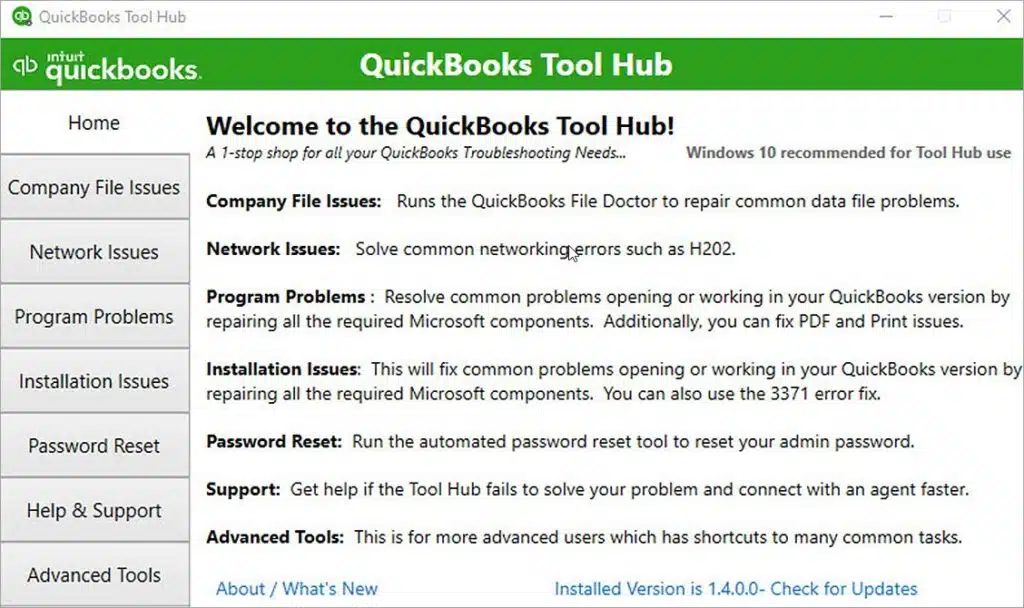
Intuit’s verification process for complex recovery cases can take 24–72 hours. Once your identity is confirmed, they will restore access and help you update your login credentials. Once you are back in your account, download the QuickBooks Tool Hub to run a quick diagnostic check on your company file and network health.
What to Do The Moment You Get Back In
After recovering your account, if your company file throws up network issues, check our guide on QuickBooks Error H202 — it is one of the most common errors users face after a disruption.
Getting back into your account is step one. But a lot of people log back in, exhale, and then just go back to work as if nothing happened. That is a mistake. The first thing to do — before opening a single invoice or running a single report — is verify that your data is intact.
Run your QuickBooks Online accounts receivable report right away. Go to Reports > Accounts Receivable Aging Summary. Scan for any invoices that look off, any balances that seem wrong, or any customers that should not be there.
Then go to Accounting > Reconcile and do a quick QuickBooks Online account reconciliation check. Look at your most recent bank reconciliation and verify the closing balance matches what your bank shows. If anything looks different from what you remember, flag it before you touch anything else.
Check your bank feed connections under Banking. Make sure all your accounts are still connected and syncing. Sometimes during account recovery — especially in hacked account situations — bank connections get disconnected.
Finally, go to Settings > Manage Users and audit every user on the account. Make sure every person listed should actually have access.
QBookAssist tip: Export a full backup of your data immediately after recovery. Go to Settings > Export Data and download everything. Store it somewhere outside of QuickBooks — a Google Drive folder, an external hard drive, anywhere secure. If you ever face another access issue, you will have a copy of your data no matter what.
How Long Does QuickBooks Online Account Recovery Actually Take?
We get asked this constantly. Here is an honest answer — not the optimistic one Intuit’s website implies.
| Situation | Realistic Timeframe |
| Password reset with working email | 5 to 15 minutes |
| SMS recovery with working phone | Under 10 minutes |
| Recovery through accountant or admin | Immediate |
| Account recovery form — simple case | 24 to 48 hours |
| Hacked account recovery | 2 to 4 days |
| Complex identity verification case | 3 to 7 business days |
The honest reality is that complex cases — missing email, missing phone, deactivated accounts, or compromised accounts — can take longer than Intuit’s website suggests. We have seen cases drag on for over a week when the original account holder is completely unreachable and business documents are hard to locate.
This is why preparation matters. Having your subscription details, billing records, and a trusted admin user on the account before a crisis hits makes all the difference.
When Self-Service Recovery Is Not Enough
Intuit’s recovery tools are genuinely good for straightforward cases. But some situations go beyond what their automated system handles well — and sitting on hold waiting for tier-one support to escalate your case is not a luxury every business has.
Consider calling a certified QuickBooks specialist if:
Your recovery request has been pending with Intuit for over 48 hours without any meaningful update. The account was originally set up by someone who is no longer available—such as a former employee, a dissolved accounting firm, or an IT contractor—leaving you with limited information to verify ownership. To make matters worse, the account has been compromised, so you urgently need assistance to secure it and conduct a full audit. You are facing a hard deadline — payroll, a tax filing, a client audit — and cannot wait days for Intuit’s standard process.
At QBookAssist, we handle these exact situations regularly. Our team works directly alongside Intuit’s recovery process, helps you gather the right documentation, and advocates on your behalf to speed things up. We also do the full post-recovery audit to make sure your data is completely intact before you go back to business as usual.
Call us at +1-866-408-0544 — if you are locked out of QuickBooks Online right now, do not spend another day waiting.
Five Things to Do Right Now to Never Face This Again
Once you are back in — and this is important — spend fifteen minutes doing these things before you do anything else.
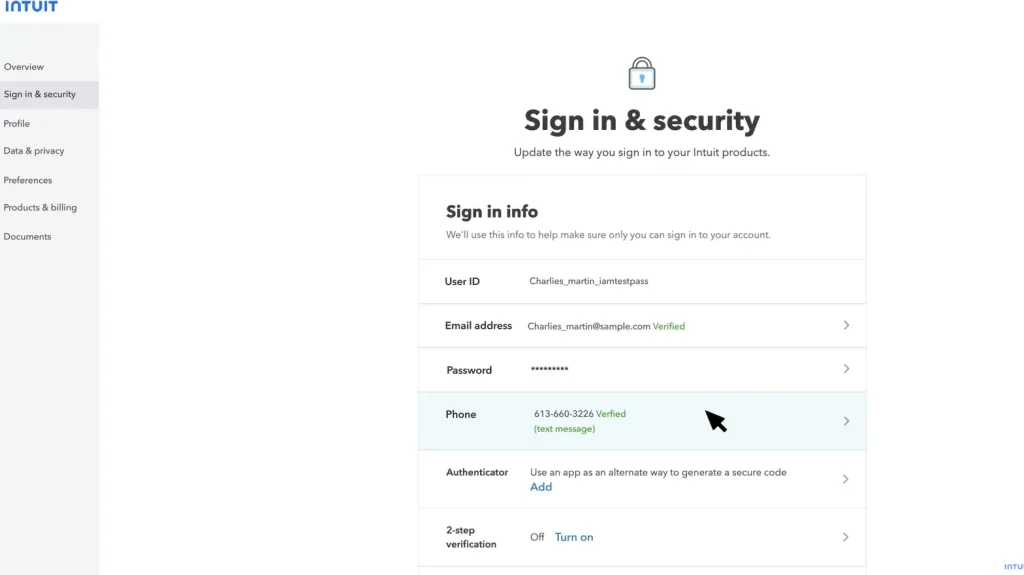
Turn on two-step verification immediately. Go to your Intuit Account > Sign-In & Security. This single step means that even if someone has your password, they still cannot get in without your phone. It takes three minutes to set up and it is the single most effective protection available.
Update your recovery email and phone number. Go into your Intuit account settings and make sure both of these are current addresses and numbers that you actually have access to today. Not an old work email. Not a number you cancelled last year.
Add your accountant as an admin user if they are not already. This gives you a backup recovery path that bypasses Intuit’s entire process if you are ever locked out again.
Save your QuickBooks subscription details somewhere safe. Your order number, billing email, and payment method details are what Intuit uses to verify your identity. Put them in a password manager or a secure document you can find fast in a crisis.
Set up a monthly data export. Fifteen minutes once a month to download your company data externally is cheap insurance against any access issue — recovery delay, account suspension, or anything else.
Conclusion
Getting locked out of QuickBooks Online is genuinely awful — especially when your business is in the middle of something important. But it is not permanent. The right recovery path exists for almost every situation, whether that is a simple password reset, a formal QuickBooks Online account recovery request, recovering through your accountant, or dealing with a compromised account.
Work through the methods in order. Gather your account information before contacting Intuit. And once you are back in, spend fifteen minutes setting up the protections that make sure this never happens again.
If you are stuck right now and cannot afford to wait — call QBookAssistat +1-866-408-0544. Our team will help you get back into your account and make sure everything is exactly as it should be when you do.
Frequently Asked Questions
Q1: How do I start QuickBooks Online account recovery?
Ans. Go to quickbooks.intuit.com, click Sign In, and then click “I forgot my password.” Enter the email address on your account and check your inbox — including spam — for the reset link. If your email is no longer accessible, use the phone number recovery option or contact Intuit directly to submit a formal recovery request.
Q2: What is the QuickBooks Online account recovery form and when do I need it?
Ans. It is Intuit’s formal identity verification process for users who have lost access to both their account email and phone number. You provide billing and business details to confirm who you are, and Intuit restores access after verification. Most standard cases are resolved within 24 to 48 hours, though complex situations can take longer.
Q3: How do I recover my QuickBooks Online password if I have forgotten it?
Ans. Click “I forgot my password” on the QuickBooks sign-in page, enter your email address, and use the reset link Intuit sends you. The link is valid for thirty minutes, so open it promptly. If the email does not arrive within ten minutes, check your spam folder before assuming it was not sent.
Q4: My QuickBooks Online account was hacked — what do I do first?
Ans. Call Intuit support by phone immediately and use the word “compromised” clearly. Ask them to flag your account and prevent further changes while your identity is being verified. Do not use the standard online recovery form for hacked accounts — phone contact gets these cases escalated faster.
Q5: Can my accountant help me recover access to QuickBooks Online?
Ans. Yes — and this is often the fastest route. If your accountant has admin access to your QuickBooks Online company, they can restore your user access directly from inside the account without going through Intuit’s recovery process at all. Call them first before anything else.
Q6: What should I check after recovering my QuickBooks Online account?
Ans. Run a QuickBooks Online account reconciliation immediately. Check your accounts receivable report, verify your bank feed connections are still active, audit your user list for anyone who should not have access, and export a full data backup from Settings before resuming normal work.
Q7: How long does QuickBooks Online account recovery take?
Ans. A password reset with a working email takes five to fifteen minutes. The formal recovery form takes one to two days for standard cases. Hacked account recovery typically takes two to four days. Having your subscription details and billing information ready before contacting Intuit significantly speeds up every type of recovery.

Recent Posts
Tried Everything? Here’s How to Fix QuickBooks Error Code 80070057
Read MoreQuickBooks Enterprise Online Support: Your Complete Help Guide
Read MoreIntuit QuickBooks Customer Service: How to Contact Support
Read MoreQuickBooks Payroll: Service, Setup, Pricing and Support Guide
Read MoreQuickBooks Error Support: Get Instant Help Via Live Chat or Call
Read More